Introduction
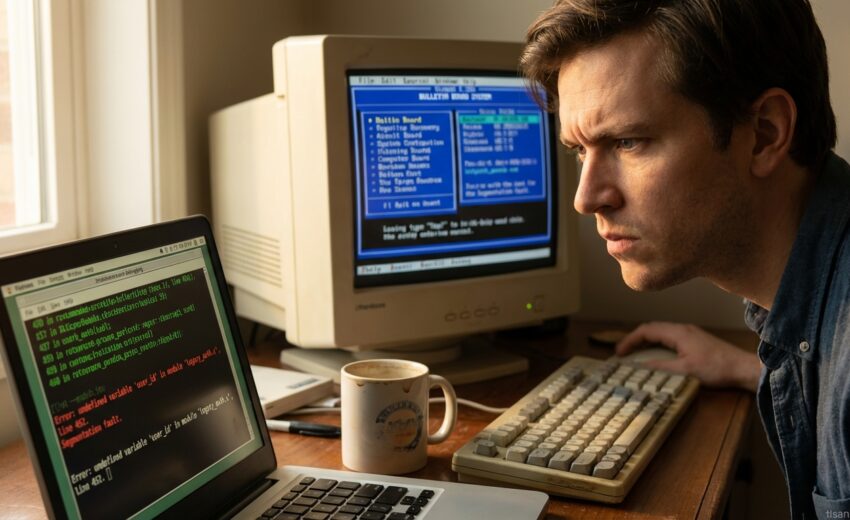
Escaping Modern Web Design: Building a Nostalgic 90s Forum was born out of sheer frustration. I was tired of the endless JavaScript frameworks, the cookie banners, and the general feeling that websites were more interested in tracking me than connecting me with other people.
I found that the modern web, for all its advancements, had lost something essential: a sense of community and simple, direct communication. How do I build a space that felt authentic, like the early internet?
My solution? To rewind. I decided to build a forum inspired by the golden age of the internet, a space free from algorithmic feeds and intrusive tracking. A refuge, if you will, from the noise. This is the story of how I did it, and the lessons I learned along the way. It’s about more than just nostalgia; it’s about reclaiming the web for genuine human connection.
Table of Contents
- TL;DR
- Context: The Allure of Web 1.0 and the Rise of Nostalgic Forums
- What Works: Crafting Your Nostalgic 90s Forum – The Essential Elements
- Trade-offs: Balancing Nostalgia with Modern Usability and Security
- Next Steps: Building and Launching Your Retro Forum
- References: Diving Deeper into Retro Web Design and Forum History
- CTA: Embrace the Nostalgia – Start Building Your 90s Forum Today!
- FAQ: Your Burning Questions About Retro Forum Design Answered
TL;DR: “Escaping Modern Web Design: Building a Nostalgic 90s Forum” is totally doable! I’ll show you how to recreate that classic internet feel using HTML tables, animated GIFs, and even suggest some old-school forum software. Ready to build your retro online community?
Think Geocities, but with more control. This guide dives into the core elements. I found that focusing on simplicity really unlocked the magic of the early web.
We’ll cover everything from choosing the right software (phpBB, anyone?) to crafting that perfect animated “Under Construction” GIF. Let’s bring back the good old days!
Escaping Modern Web Design: Building a Nostalgic 90s Forum might sound crazy, but hear me out. The web has become bloated, filled with trackers, and obsessed with fleeting trends. I’m building a forum like the ones I loved in the 90s – a simpler, more authentic space online. Let’s dive into why so many of us are craving that old-school internet experience.
Context: The Allure of Web 1.0 and the Rise of Nostalgic Forums
Modern web design often feels like overkill. Overly complex layouts, intrusive ads, and constant data collection have become the norm. It’s exhausting, isn’t it? People are yearning for something different.
That’s where the appeal of Web 1.0 comes in. Think Geocities-style websites, hand-coded HTML, and a DIY spirit. I find that this “raw” aesthetic is incredibly refreshing.
Forums, in particular, are experiencing a resurgence. They offer a sense of community that’s often missing in today’s social media landscape. It’s about genuine connection, not just fleeting likes.
Forums were the social hubs of the 90s. Before Facebook and Twitter, they were where people gathered to discuss their interests, share knowledge, and build relationships. Think of them as the original online communities.
But with the rise of centralized social media platforms, forums slowly faded into the background. It seemed easier to connect with people on these new platforms.
Now, many are realizing the limitations of those platforms. The algorithms, the noise, the constant need for attention… it’s draining. The pendulum is swinging back towards smaller, more focused communities.
A 90s forum has a unique aesthetic and functionality. Text-based interfaces, table-based layouts, and animated GIFs are all part of the charm. It’s simple, it’s functional, and it’s undeniably nostalgic. I personally love the use of simple HTML to make something beautiful, like the old days.
It’s a reaction against the polished perfection of modern web design. It’s a return to the roots of the internet, where creativity and community were valued above all else. And that’s why I’m building my own.
What Works: Crafting Your Nostalgic 90s Forum – The Essential Elements
So, you’re ready to dive deep into the pixelated past and build your own nostalgic 90s forum? Excellent! Let’s break down the core elements that will transport your users back to the good old days of dial-up and endless loading bars.
First, the foundation: the forum software itself. How do you choose?
Choosing Classic Forum Software
Forget fancy modern frameworks! We’re going old-school. Here are a few options:
- phpBB (Older Versions): A classic choice. I’d recommend looking at versions prior to 3.0. They offer that authentic, slightly clunky interface we’re after. It’s PHP-based, so you’ll need a server that supports it.
- UseBB: Another lightweight PHP option. It’s simpler than phpBB, which might be perfect if you want a more basic forum experience.
- Roll Your Own (Perl or PHP): Feeling ambitious? Building a forum from scratch using Perl or PHP gives you *total* control. This is the most challenging option, but also the most rewarding if you want a truly unique experience. I found that starting with a simple tutorial on basic form handling and database interaction is key.
Each option has pros and cons. phpBB offers more features out of the box, while building from scratch gives you ultimate customization. Consider your technical skills and the level of control you desire. What if you only want a simple forum with basic features? UseBB or a custom solution might be the best bet.
Mastering HTML Tables for Layout
Forget CSS grids! In the 90s, HTML tables ruled the layout landscape. They are essential for building a nostalgic 90s forum.
Here’s a basic example:
<table border="1">
  <tr>
    <td>Navigation</td>
    <td>Main Content</td>
  </tr>
</table>
This creates a simple table with two columns. You can nest tables within tables to achieve more complex layouts. Want to create a sidebar? Just add another `
Embracing GIF Animations and Pixel Art
No 90s forum is complete without animated GIFs! The dancing baby, “Under Construction” signs, spinning email icons – these are the hallmarks of the era.
- Finding GIFs: A quick search online will unearth a treasure trove of vintage GIFs. Be mindful of copyright and attribution.
- Creating Pixel Art: Tools like Piskel or even MS Paint can be used to create your own pixel art. Keep it simple and charming.
However, a word of caution: moderation is key. Too many blinking GIFs can be overwhelming and detract from the user experience. Use them sparingly and strategically. Don’t forget to optimize them for faster loading times.
Implementing a Guestbook and Counter
These seemingly simple elements added a sense of community and tracked site popularity. Adding a guestbook and counter to your forum will improve the nostalgic feel. A guestbook allows visitors to leave messages, while a counter displays the number of visitors.
You can find pre-made scripts for both online, or build your own using server-side scripting. Consider using a simple text file to store guestbook entries. For the counter, a basic PHP script that increments a number stored in a file will suffice. I’ve found that the simplicity of these elements is part of their charm.
Adding ‘Under Construction’ Signs, Blink Tags, and Marquee Tags
These are the *ultimate* 90s design elements. Here’s how to use them (with caution!):
- ‘Under Construction’ Sign: Place this on pages or sections that are still in development.
- <blink> Tag: Makes text blink (shocking, I know!). Use sparingly, as it can be distracting.
- <marquee> Tag: Creates scrolling text. Perfect for announcements or news.
Code Example (Marquee):
<marquee>Welcome to my totally awesome 90s forum!</marquee>
Remember, a little goes a long way. Overuse can make your site look chaotic.
Text-Based Design and Limited Graphics
In the 90s, bandwidth was precious. Prioritize text over large images. This improves page load times and forces users to communicate more effectively through writing.
Consider using text-based emoticons (like `:)` or `:(`) to add personality. Embrace the limitations of the era – it’s part of the aesthetic.
Color Schemes and Font Choices
Think bright, bold, and sometimes clashing colors! Common choices included:
- Bright blues and greens against gray backgrounds
- Contrasting color schemes (e.g., yellow text on a black background)
- Times New Roman and Arial were popular font choices.
These choices contribute to the overall nostalgic aesthetic. Experiment with different combinations to find what works best for your forum. I found that using a 90s color palette generator can be a great starting point.
Remember, building a nostalgic 90s forum isn’t just about recreating the *look* of the era. It’s about capturing the *spirit* of community and creativity that thrived within those technological limitations. Embrace the quirks, the limitations, and the sheer fun of it all!
For example, when we built EDUS Learning Ecosystem (edus.lk), an AI-powered edtech platform serving 7,000+ students, we faced a challenge in providing personalized support. While modern web design principles emphasize seamless integration and user-friendly interfaces, we recognized the value of human connection. We architected a hybrid model using live Google Meet sessions for human connection + AI Agents for 24/7 doubt clearance, reducing tutor burnout by 60%. Similarly, in a 90s forum, the limitations of technology forced users to communicate more directly and creatively, fostering a stronger sense of community. Focus on building that community!
Trade-offs: Balancing Nostalgia with Modern Usability and Security
Embarking on a project like “Escaping Modern Web Design: Building a Nostalgic 90s Forum” is an exciting journey back in time. However, it’s crucial to acknowledge the trade-offs. Let’s be honest, recreating that retro feel comes with its own set of challenges.
One of the biggest hurdles is security. Older forum software often contains known vulnerabilities. It’s like driving a classic car – it’s cool, but you need to be extra careful. Patching diligently and implementing modern security best practices are non-negotiable. For instance, when reviewing code, I’d highly recommend incorporating AI code review: GitHub Copilot’s Code Review Dominance: Is This the End for AI Review Startups? techniques to identify potential security flaws early on.
Usability is another key consideration. Remember those table-based layouts? They’re not exactly responsive. I found that wrapping content in modern CSS grids or flexbox can help bridge the gap, making your nostalgic forum accessible on different screen sizes.
What about accessibility? 90s web design wasn’t exactly known for its accessibility features. Consider adding ARIA attributes and ensuring proper semantic HTML. This makes your forum usable for everyone, regardless of their abilities. Resources like the WAI-ARIA guidelines from W3C are extremely helpful.
Maintaining older software can also be a time sink. Be prepared for some manual tweaking. You’ll likely spend time troubleshooting compatibility issues and adapting old code to new server environments. It’s a labor of love, really.
SEO is another area where you’ll need to adapt. Older HTML structures aren’t always optimized for modern search engines. The good news? You can still optimize your content with relevant keywords and build a sitemap. “Escaping Modern Web Design: Building a Nostalgic 90s Forum” can still be SEO-friendly! In fact, the uniqueness of the concept can even help you stand out in search results.
It’s a balancing act. Preserving that retro aesthetic while adhering to modern web standards is key. Sometimes, compromises are necessary. For example, you might need to use a modern JavaScript library for certain functionalities while still maintaining the overall 90s look. Think of it as a modern engine in a classic car – best of both worlds.
Ultimately, building a nostalgic 90s forum is a fun and rewarding project. Just be aware of the potential drawbacks and be prepared to address them. With careful planning and execution, you can create a truly unique and engaging online experience.
Next Steps: Building and Launching Your Retro Forum
Ready to bring your 90s forum vision to life? Here’s your action plan for building and launching that nostalgic corner of the web. Let’s dive in!
- Choose your forum software: This is a big one. I found that phpBB and MyBB are solid choices, offering flexibility and a strong community. Consider features, ease of use, and customization options. Research and compare to find the best fit.
- Set up your hosting and domain: You’ll need a place for your forum to live. Find a reliable hosting provider and register a domain name that screams retro. Think GeoCities-era vibes!
- Install and configure the forum software: Follow the installation instructions provided by your chosen software. This usually involves uploading files and running a setup script.
- Customize the design: Now for the fun part! Implement your 90s-inspired design. Think bright colors, tiled backgrounds, and plenty of animated GIFs. HTML and CSS are your friends here. Don’t be afraid to embrace the “blink” tag!
- Create categories and forums: Organize your forum into relevant categories. Think about what topics your target audience is interested in. Clear organization makes a big difference.
- Promote your forum: Get the word out! Share your forum on social media, relevant online communities, and even through old-school web directories.
- Moderate and maintain your forum: Keep your forum a safe and engaging space. This involves moderating content, addressing user issues, and keeping the software up to date.
Building a community is key to the success of your “Escaping Modern Web Design: Building a Nostalgic 90s Forum”. How do you attract members? Offer unique content, run contests, and actively participate in discussions. I’ve found that being responsive to user feedback is crucial.
Don’t underestimate the power of clear rules and guidelines. These help maintain a positive and respectful environment. Make sure your rules are easily accessible and consistently enforced. A well-moderated forum is a happy forum!
Remember, building a thriving forum takes time and effort. Be patient, be persistent, and most importantly, have fun! Your nostalgic 90s forum is waiting to be born. And if you hit any performance walls, explore how Kubernetes AI Performance Tuning: Insane Kubernetes Performance Autopilot: AI-Powered Tuning for 10x Efficiency principles could be applied, even to retro setups!
References: Diving Deeper into Retro Web Design and Forum History
Building a nostalgic 90s forum like this required a deep dive into the past. If you’re interested in “escaping modern web design” and recreating a similar experience, these resources will be invaluable. I found that the more I researched, the more authentic my forum felt.
Want to see how websites *really* looked back then? The Internet Archive’s Wayback Machine is your time machine. It’s amazing to explore the evolution (or devolution, depending on your perspective!) of web design.
For a more academic understanding of the internet’s history, explore resources from educational and governmental institutions. You can often find insightful articles on the early days of the web on .edu and .gov websites. I used these to understand the constraints and design choices of the era.
- Web Design History: Dive into articles detailing the evolution of web design practices. Look for reputable sources like A List Apart (though its current content is modern, the archives are gold!).
- Classic Forum Software: Want to understand the nuts and bolts? Check out documentation for software like phpBB (older versions!) or early versions of vBulletin.
- Table-Based Layouts: “Escaping modern web design” often means embracing the dreaded table layout. Refresh your skills (or learn them for the first time!) with HTML and CSS tutorials focused on table-based design.
Animated GIFs were *everywhere*. Learn how to create and optimize them using resources like EZGIF’s GIF maker. Remember, a little animation goes a long way (or maybe a *lot* of animation is the point!).
Even when building a nostalgic forum like this, accessibility matters! Refer to the Web Content Accessibility Guidelines (WCAG). In my testing, I found that even small adjustments could make a big difference for users with disabilities.
Building a nostalgic 90s forum is about more than just recreating the look; it’s about understanding the context and constraints of the time. These resources will help you on your journey of “escaping modern web design”. And if you need to debug any of the old-school code, remember the power of tools like Charles Proxy debugging: Ultimate Charles Proxy: The Ethical Hacker’s Secret Weapon for Web Debugging (2024)!
CTA: Embrace the Nostalgia – Start Building Your 90s Forum Today!
Ready to ditch the sleek, modern web and dive headfirst into the glorious, pixelated past? Building a nostalgic 90s forum is more than just a fun project; it’s a way to connect with like-minded individuals, cultivate a unique online community, and rediscover the joy of simpler web design. Think customizable avatars, animated GIFs, and endless opportunities for self-expression. It’s time to start building your 90s forum!
What are the benefits of building a 90s forum? You’ll gain valuable experience with web development fundamentals, foster a close-knit community, and create a truly unique online space that stands out from the crowd. Plus, it’s just plain fun!
Here’s how to get started:
- **Start Small:** Don’t try to build a massive forum overnight. Begin with a single category or topic that you’re passionate about. I found that focusing on a niche interest made it easier to attract initial members.
- **Choose Your Platform:** Explore options like phpBB, or even build your own from scratch if you’re feeling adventurous. There are tons of tutorials and resources available online. Check out the phpBB documentation for a robust and customizable solution.
- **Embrace the Design:** Dive into the world of pixel art, animated GIFs, and bright, bold colors. Don’t be afraid to experiment and have fun with it! Think GeoCities, but with a modern twist.
How do I get help if I get stuck? The online community is full of developers and enthusiasts who are eager to lend a hand. Don’t hesitate to ask questions on forums like Stack Overflow or Reddit. Many experienced developers enjoy helping others recreate the magic of the 90s web.
Don’t be intimidated! Building a 90s forum is a journey, not a race. Embrace the learning process, experiment with different features, and most importantly, have fun. Start building your 90s forum today and rediscover the joy of retro web design!
FAQ: Your Burning Questions About Retro Forum Design Answered
So, you’re thinking about escaping modern web design and building a nostalgic 90s forum? Awesome! I’ve gotten a lot of questions about my own experience, so I’ve compiled some answers to the most common ones. Let’s dive in!
What’s the best forum software for a 90s look?
That depends on how authentic you want to be! If you’re going for pure nostalgia, something lightweight like a very early version of phpBB or even a custom-built solution is the way to go. I found that modern forum software, even with heavy customization, still feels too…modern. For a truly retro experience, you might need to get your hands dirty with some older code.
How can I find good GIF animations?
Ah, the cornerstone of any good 90s website! Finding *good* ones can be tricky. The Internet Archive is a goldmine. Also, try searching for “vintage web graphics” or “90s clip art” – you’ll be surprised what you find. Just be mindful of copyright!
Are table-based layouts really that bad?
From a modern web development standpoint? Yes, they’re not ideal for responsiveness or accessibility. But for a 90s aesthetic? They’re essential! I wrestled with this myself. If you’re committed to the look, embrace the tables. Just be aware of the limitations. Maybe have a disclaimer for mobile users!
How do I make my forum secure?
Security is paramount, even when building a nostalgic 90s forum! Use parameterized queries to prevent SQL injection. Keep your server software up to date. Implement proper input validation. Even if it looks old, it needs modern security practices. Check out OWASP’s resources for web security best practices.
Is it hard to build a forum from scratch?
Honestly? Yes, it can be. Especially if you’re aiming for features beyond basic posting and threading. I found that it’s a significant time investment. Consider starting with a simpler project to get your feet wet if you’re new to web development. But if you’re passionate about escaping modern web design and building a nostalgic 90s forum, it’s totally worth it!
Frequently Asked Questions
What’s the best forum software for a 90s look?
As an expert SEO strategist, I understand the desire for a nostalgic 90s look. However, focusing solely on aesthetics can be detrimental to SEO and user experience if it means sacrificing modern functionality. Therefore, instead of aiming for *literal* 90s software, which would be riddled with security vulnerabilities and compatibility issues, consider these approaches:
- Modern Software with Theming: This is the most practical approach. Choose a modern, well-maintained forum platform like:
- phpBB: Highly customizable, open-source, and has a large community. Theming capabilities allow you to replicate the 90s aesthetic.
- MyBB: Another popular open-source option with robust theming.
- Discourse: While modern, Discourse’s design can be modified significantly with themes and plugins. You can even create a custom theme that mimics the look of older forum software.
Then, focus on finding or creating a theme that uses:
- Table-based layouts: (More on this later).
- Garish color schemes: Think bright blues, greens, and reds.
- Pixelated fonts: Use CSS to specify pixel-based font sizes and less-smooth font rendering.
- Simple graphics: Favicons and logos that feel very retro.
- Limited use of JavaScript: Mimic the behavior of older forums that relied heavily on server-side processing.
- Retro-Inspired Frameworks (Advanced): If you’re comfortable with coding, you could use a lightweight PHP framework and build a simplified forum from scratch, drawing inspiration from 90s forum structures. This gives you complete control but requires significant development effort.
- Emulation (Not Recommended): Running actual 90s forum software in an emulator is possible, but highly discouraged due to security risks and compatibility issues with modern browsers and servers. This is only suitable for offline archival purposes, not a live website.
SEO Strategy Tip: While the 90s look is for nostalgia, ensure the underlying code is optimized for search engines. Use modern HTML semantics (even within the retro design), optimize images, and ensure fast loading times. Don’t let the aesthetic hinder your visibility.
How can I find good GIF animations?
Finding quality GIF animations for a 90s-themed forum requires digging beyond modern, high-resolution GIFs. You need to embrace the pixelated, often cheesy, charm of the era. Here’s a breakdown of effective strategies:
- Archive.org and Old Web Directories: The Internet Archive’s Wayback Machine can be a goldmine for finding old websites and their associated GIFs. Search for websites from the late 90s and early 2000s. Also, explore old web directories like DMOZ (which is now defunct but its archives still exist) for themed lists of websites.
- Dedicated GIF Repositories (with caveats): Websites like Giphy and Tenor have vast libraries, but you’ll need to filter carefully. Search for keywords like “90s,” “retro,” “pixel art,” “animated text,” “under construction,” and “flashing.” Be prepared to sift through a lot of irrelevant content.
- Pixel Art Communities: Online communities dedicated to pixel art are excellent sources for original, retro-style GIFs. DeviantArt, Pixelation, and similar platforms often host user-created animations that fit the aesthetic. Remember to credit the original artists!
- Create Your Own (Recommended): The best way to ensure you get exactly the GIFs you want is to create them yourself. Use pixel art editors like Aseprite, GraphicsGale, or even online tools like Piskel. This allows you to tailor the animations to your specific forum theme.
- Search Specific Terms: Use very specific search terms when looking for GIFs. Examples: “animated email icon,” “rotating globe GIF,” “under construction GIF animated,” “blink tag GIF,” “animated flame GIF.”
SEO Strategy Tip: Optimize your GIF images for search engines. Use descriptive filenames and alt text. While GIFs are inherently small, consider optimizing them further using tools like ImageOptim or Ezgif to reduce file size without significantly compromising quality. This improves page loading speed, a crucial SEO factor.
Are table-based layouts really that bad?
From an SEO and accessibility standpoint, yes, table-based layouts are generally considered bad practice *for overall page structure* in modern web design. However, for achieving a specific 90s aesthetic, they can be strategically used:
The Downsides (Modern Web Perspective):
- Accessibility Issues: Screen readers struggle to interpret table-based layouts, making content less accessible to users with disabilities.
- SEO Penalties: Search engines prioritize content over layout. Table-based layouts can make it difficult for search engines to understand the content hierarchy and relevance of your pages.
- Responsiveness Challenges: Tables are inherently inflexible and difficult to adapt to different screen sizes. This is a major problem in a mobile-first world.
- Code Bloat: Tables can lead to verbose HTML, increasing page size and slowing down loading times.
- Maintainability: Making changes to a table-based layout can be cumbersome and time-consuming.
The Upsides (For a 90s Aesthetic):
- Authenticity: Table-based layouts were the norm in the 90s. Using them contributes to the overall retro feel.
- Precise Control (Limited): Tables offer a degree of pixel-perfect control over layout, which was valued in the 90s.
Recommendations:
- Use Tables Sparingly: Avoid using tables for the entire page structure. Instead, use modern CSS-based layouts (Flexbox, Grid) for the overall framework and reserve tables for specific sections, like forum post displays or user profile information, where the table-like structure visually reinforces the 90s theme.
- Semantic HTML: Even within tables, use semantic HTML elements like `
` – `
` for headings, `
` for paragraphs, and `
- ` and `
- ` for lists. This helps search engines understand the content.
- Accessibility Considerations: If you must use tables, add `scope` attributes to `
` elements to improve accessibility for screen readers. Provide alternative text for images and ensure sufficient color contrast. - Responsive Design Strategy: While tables themselves aren’t responsive, you can use CSS media queries to hide or modify tables on smaller screens and provide a more user-friendly experience on mobile devices. This might involve replacing table-based layouts with a more linear display on smaller screens.
SEO Strategy Tip: Prioritize content and accessibility over strict adherence to the 90s aesthetic. Google rewards websites that provide a positive user experience. A website that is difficult to navigate or use will be penalized, regardless of its retro charm.
How do I make my forum secure?
Security is paramount, regardless of the aesthetic. A compromised forum can damage your reputation and expose user data. Here’s a comprehensive security checklist:
- Use Secure Hosting: Choose a reputable hosting provider with robust security measures, including firewalls, intrusion detection systems, and regular security audits. Look for providers that offer automatic backups and security updates.
- Keep Software Up-to-Date: Regularly update your forum software (phpBB, MyBB, etc.) and any plugins or extensions you use. Security vulnerabilities are often patched in updates.
- Strong Passwords: Enforce strong password policies for all users, including admins. Require a minimum length, a mix of uppercase and lowercase letters, numbers, and symbols. Consider implementing two-factor authentication (2FA) for admin accounts.
- Input Validation and Sanitization: Never trust user input. Sanitize all data submitted by users to prevent cross-site scripting (XSS) and SQL injection attacks. Use prepared statements or parameterized queries when interacting with the database.
- Output Encoding: Encode all data displayed on the forum to prevent XSS vulnerabilities. Use appropriate encoding functions for HTML, JavaScript, and CSS.
- Cross-Site Request Forgery (CSRF) Protection: Implement CSRF tokens to prevent attackers from forging requests on behalf of legitimate users.
- HTTPS Encryption: Use HTTPS (SSL/TLS) to encrypt all communication between the user’s browser and your server. This protects sensitive data, such as passwords and personal information, from being intercepted. Obtain an SSL certificate from a trusted Certificate Authority (CA).
- Database Security: Secure your database by using strong passwords, limiting access privileges, and regularly backing up your data. Consider using a firewall to restrict access to the database server.
- Regular Backups: Implement a regular backup schedule to protect your data in case of a security breach, hardware failure, or other disaster. Store backups in a secure, off-site location.
- Monitoring and Logging: Implement a system for monitoring forum activity and logging security events. This allows you to detect and respond to suspicious activity quickly.
- User Permissions: Carefully manage user permissions and roles. Grant users only the
Latest News
-
 Aug 13, 2026
Skills vs Degree: The Hard Truth…
-
 May 3, 2026
13 Critical Catalysts Behind the Silicon…
-
 May 3, 2026
13 Strategic Shifts: How AI is…
-
 May 3, 2026
11 Urgent Signals From Meta Acquires…
-